Caption Safe Zones for TikTok, Reels and Shorts
By Bhavya · Updated September 26, 2026 · 4 min read
On TikTok, Instagram Reels and YouTube Shorts, your video plays under a layer of buttons, usernames and descriptions. Captions placed in the wrong spot end up hidden behind them. This guide shows the areas to avoid, where captions stay visible, and how to set the position in CapMagic Studio.
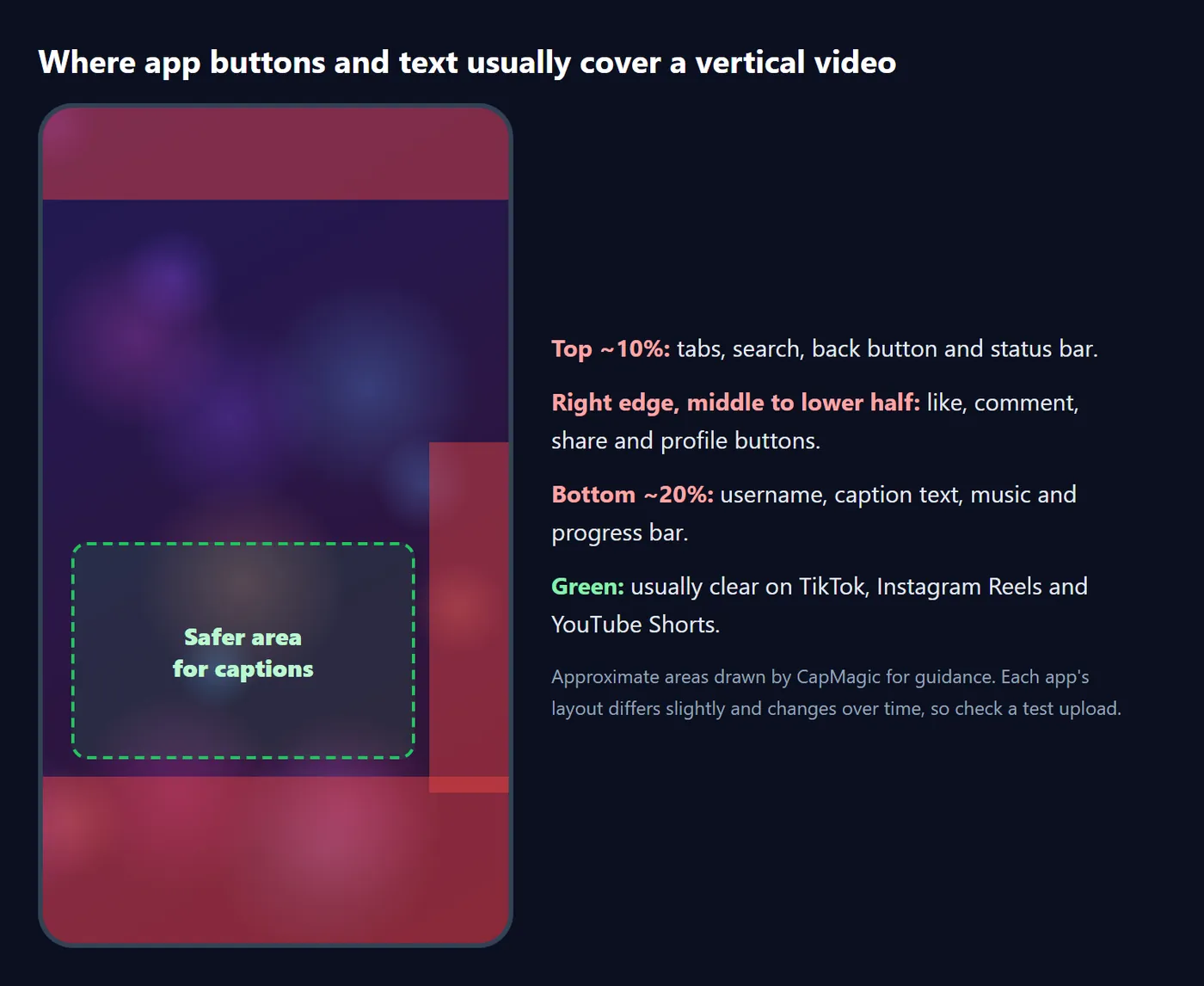
What is a caption safe zone?
A safe zone is the part of the frame that stays visible once the app draws its interface on top of your video. On vertical short-form platforms, three areas are regularly covered:
- The top strip (roughly the top 10%): tabs such as Following / For You, search, the back button and the phone's status bar.
- The right edge, from about the middle of the screen downwards: like, comment, share, save and profile buttons.
- The bottom area (roughly the bottom 20%): username, description, music or sound label, and the progress bar.
The exact layout differs between apps and changes with app updates and screen sizes, so treat these as guidelines and always check a test upload.
Where to place captions
For most talking-head videos, the best spot is the lower middle of the frame: below the speaker's face and above the bottom text, roughly 55% to 72% of the way down, and centred slightly left so long lines don't run under the buttons on the right.
- Keep lines short so they don't reach the right-hand buttons. Three or four words per chunk usually fits.
- Avoid the very bottom. Captions below about 80% of the height often sit behind the username and description.
- Don't cover the face. If the speaker fills the frame, captions just under the chin are easier to follow than captions over the mouth.
- Use the top only when needed. If the bottom of your shot matters (a product, a demo), captions around 15% to 25% work, below the app's top bar.
Setting the position in CapMagic Studio
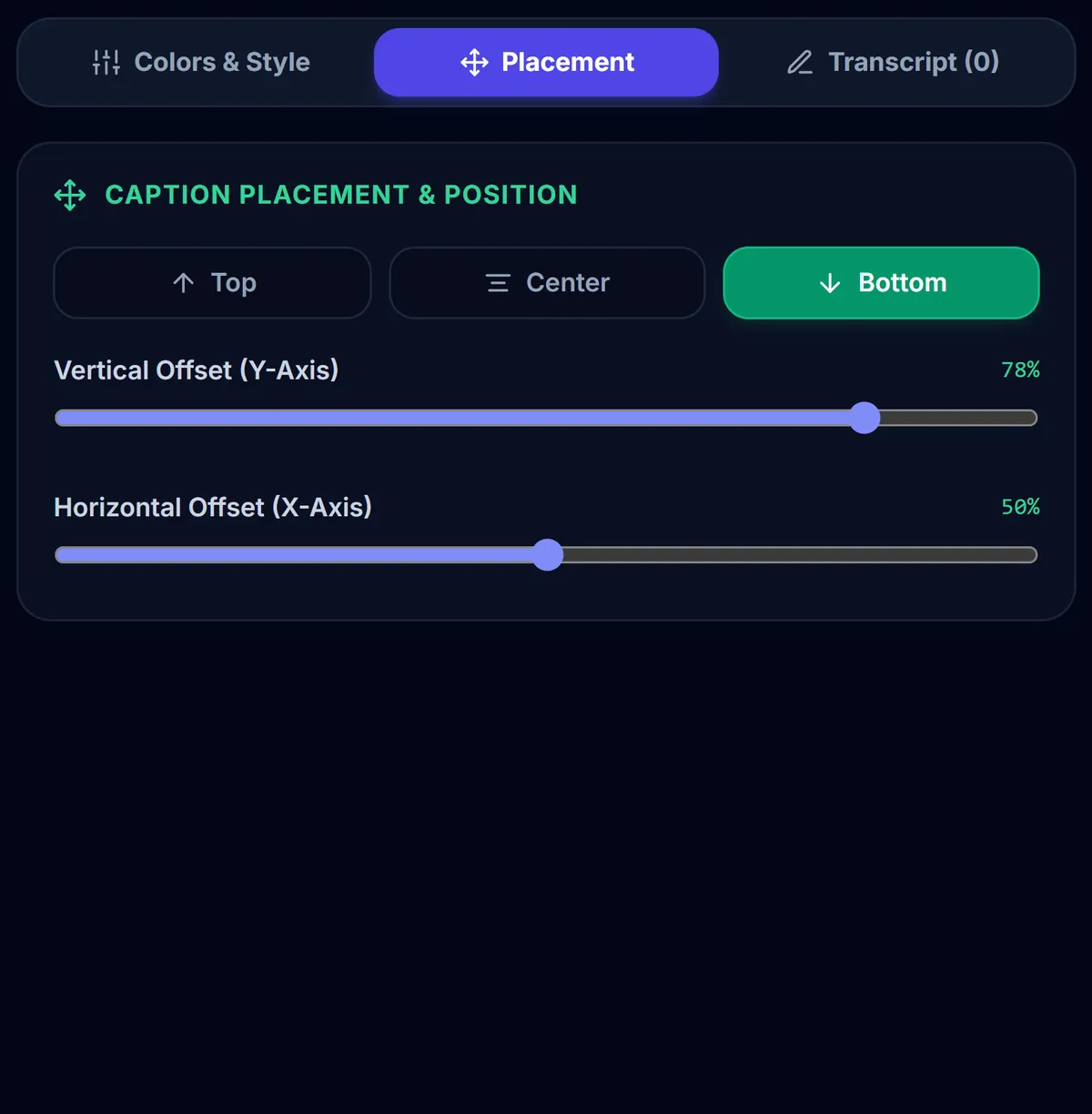
- Open the Placement tab.
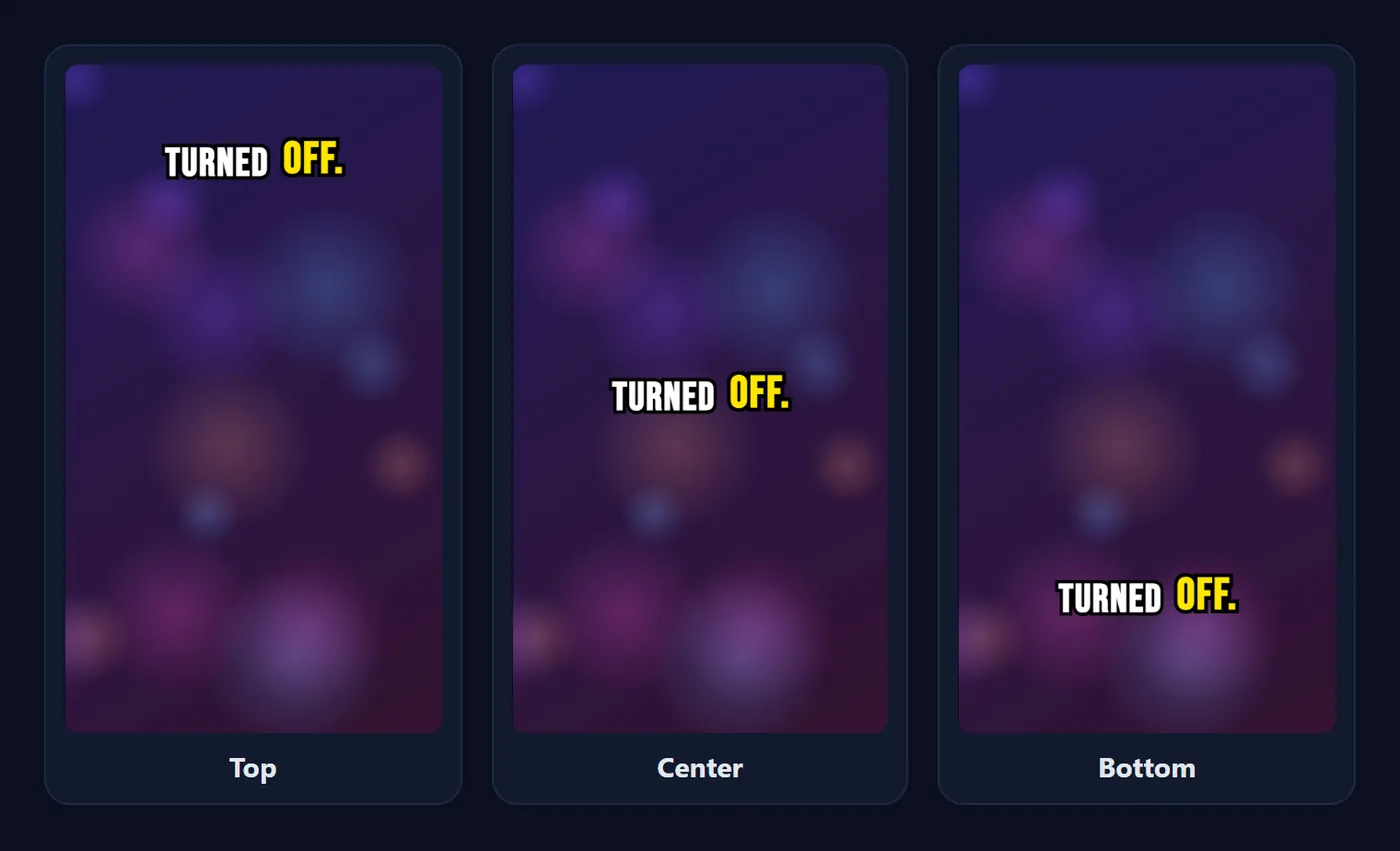
- Use the quick buttons Top, Center or Bottom to jump to 15%, 50% or 80% of the height.
- Fine-tune with the vertical slider (8% to 92%) and, if needed, the horizontal slider (15% to 85%).
- Play the video: the preview shows exactly where the captions will be burned in.
Platform notes
- TikTok: the right-hand button column is tall, and the description can span several lines. Keep captions centred and above about 75%.
- Instagram Reels: similar to TikTok. Long captions under the username expand upwards when tapped, so give yourself extra room at the bottom.
- YouTube Shorts: the title, channel name and subscribe button sit at the bottom, and the buttons run down the right side. The same lower-middle placement works well.
- Posting to all three: one position around 65% to 70% of the height, centred, is a safe compromise.
Common placement mistakes
- Leaving captions at the very bottom because that is where TV subtitles go. On phones, that area belongs to the app's own text.
- Lines that run under the like button. Long chunks stretch towards the right edge; use fewer words per chunk or a smaller font.
- Captions over on-screen text or graphics. If your video already has a title card or a product label, move the captions to the other half of the frame for that part.
- Changing position between videos in a series. Pick one height and reuse it, so returning viewers know where to look.
Test before you post
- Export the video and copy it to your phone.
- Upload it as a draft, private post or "close friends only" story, or preview it in the app's editor.
- Play it with the interface visible and check that no caption line is hidden behind buttons or text.
- If something is covered, adjust the vertical position in CapMagic and export again. The project stays open in your browser tab until you close it.
Frequently asked questions
What is the TikTok safe zone for captions?
Keep captions out of roughly the top 10%, the bottom 20% and the right-hand button column. The lower middle of the frame, about 55% to 72% of the height, is usually clear.
Are safe zones the same on Reels and Shorts?
They are very similar: all three apps put buttons on the right and text at the bottom. One centred position around 65% to 70% of the height works on all of them.
Do safe zones matter for landscape videos?
Less so. In landscape players the controls usually hide while the video plays, so classic bottom-centre subtitles are fine.
Can I move captions left or right?
Yes. The Placement tab has a horizontal slider as well as the vertical one.
Related tool
TikTok Captions Generator
Animated word-by-word captions burned into vertical video for TikTok, Reels and Shorts.
Ready to caption your video?
Free, in your browser, and your video never leaves your device.
Open CapMagic Studio →