About CapMagic Studio
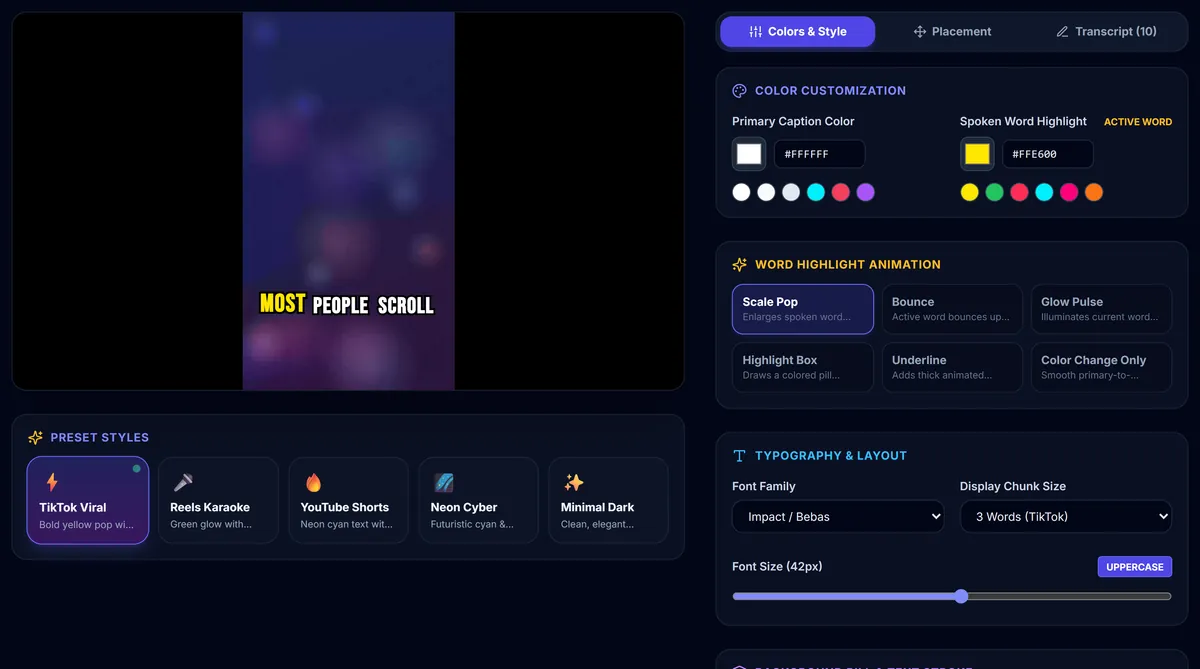
CapMagic Studio is a free caption editor for short videos. It listens to the speech in your video, writes word-by-word captions, lets you style them for TikTok, Instagram Reels and YouTube Shorts, and exports a finished video or an SRT subtitle file. Everything happens inside your web browser: your video is never uploaded to us or to anyone else.
Who makes it
CapMagic Studio is an independent project by CapMagic, based in India. The app is developed by Bhavya, who designed and built CapMagic Studio: the in-browser speech recognition, the caption editor and styling, and the video export.
Bhavya also writes the captioning guides on this site, based on building the app and testing caption workflows for TikTok, Instagram Reels and YouTube Shorts. We support the app ourselves and answer every message sent to our support address.
Why we built it
Most viewers watch short videos with the sound off, so captions decide whether people keep watching. Yet most caption tools ask you to upload your footage to their servers, create an account, and pay to remove a watermark. We wanted a tool that is quick, free, and private by design: open the page, drop in a video, and get good-looking captions without your video ever leaving your computer.
How it works
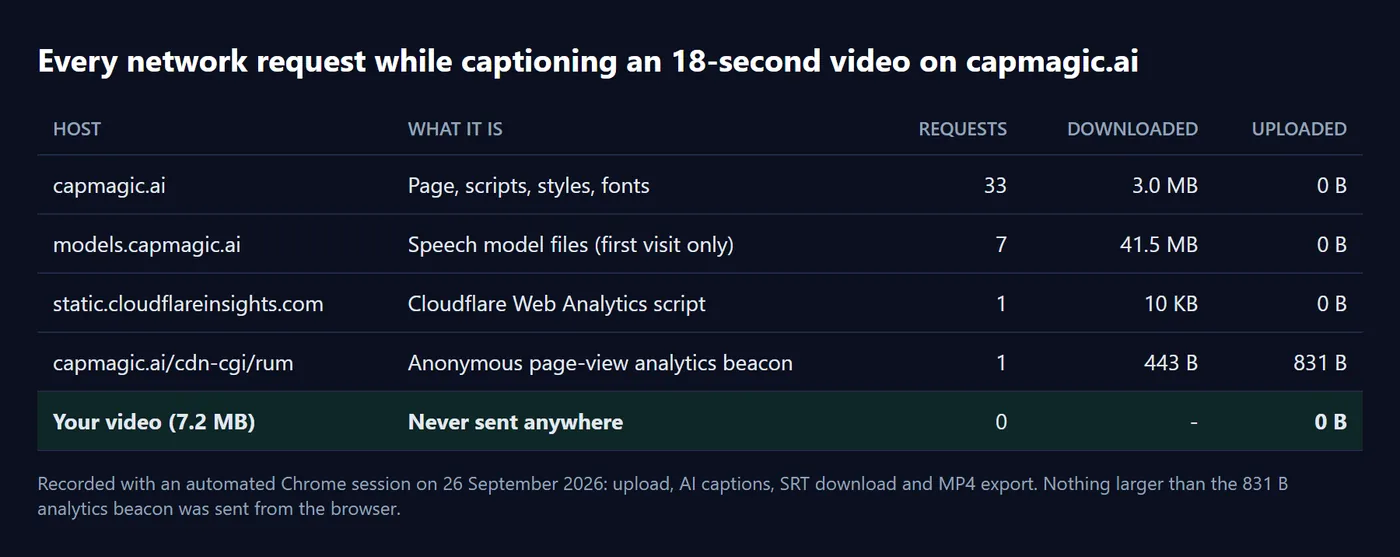
- Your browser opens the video. The file is read straight from your device into the page's memory. Nothing is sent over the internet.
- Speech recognition runs on your device. We use Whisper, an open speech-recognition model, running in your browser with WebAssembly. The model files (about 40 MB) are downloaded once from our server and then kept in your browser's cache.
- You edit and style the captions. Fix any words, adjust timing, and choose fonts, colours, word-highlight effects and position.
- Your browser builds the export. The finished video (MP4 in Chrome and Edge) or the SRT file is created on your device and saved straight to your downloads.
What it can and can't do today
- Automatic captions work for English speech. For other languages you can paste your own script or import an SRT file and style it the same way.
- Videos can be up to 250 MB and 10 minutes long, in MP4, MOV, MKV or WebM format.
- Because everything runs on your device, speed depends on your computer: short clips are quick, while a 10-minute video can take several minutes.
How CapMagic Studio stays free
The app is free to use, with no sign-up and no watermark. We may show advertising on some pages (for example the guides) to cover hosting costs. Ads never have access to your videos, which stay on your device. See our Privacy Policy for the details.
Get in touch
Questions, feedback, bug reports or feature ideas are very welcome. Visit our Contact page or email support@capmagic.ai.
Try it on your next video
Free, in your browser, and your video never leaves your device.
Open CapMagic Studio →