Caption Animation Styles Explained: Pop, Bounce, Glow and More
By Bhavya · Updated September 26, 2026 · 4 min read
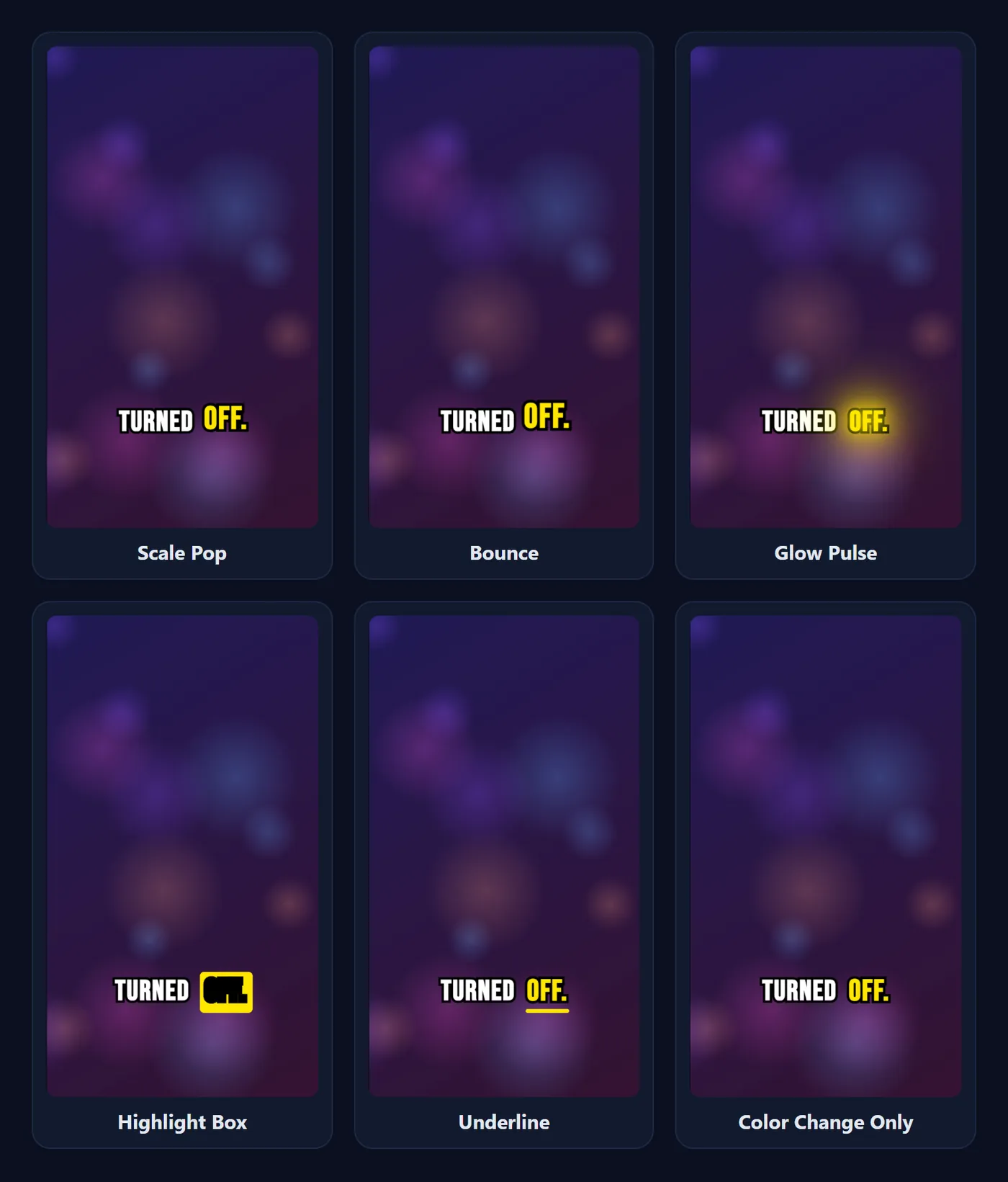
Word-by-word captions highlight each word as it is spoken, which pulls the viewer's eye along with the speech. CapMagic Studio offers six ways to animate that highlighted word. Here is what each one does, how it looks in the exported video, and which to choose for your content.
Why animate the spoken word?
Static subtitles show a line of text and leave the viewer to find their place. Word highlighting does that job for them: the active word changes colour (and sometimes size or shape) in time with the voice, so viewers read at the speaker's pace and stay with the video. It is the look most viewers associate with TikTok, Reels and Shorts.
The animation should support reading, not compete with it. The best choice depends on your font, how many words are on screen, and how busy the footage is.
The six animations
| Animation | What it does | Use it for |
|---|---|---|
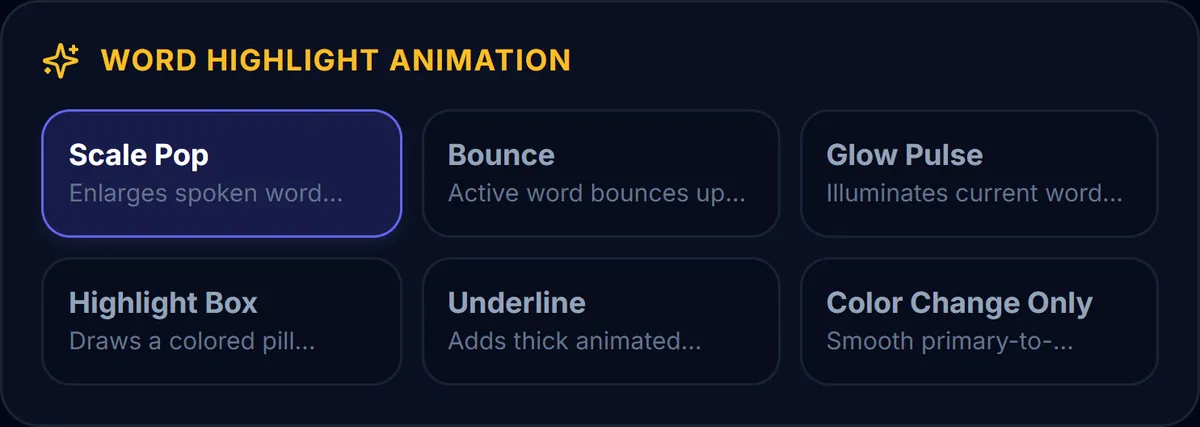
| Scale Pop | Enlarges the active word (about 15%) in the highlight colour. | Energetic talking-head clips, hooks, TikTok Viral style. |
| Bounce | Lifts the active word up and down in the preview. | Playful and upbeat content. In exported MP4s, Bounce currently appears as an enlarged word, like Scale Pop. |
| Glow Pulse | Adds a soft glow in the highlight colour around the active word. | Dark footage, neon or music themes; pairs well with a dark pill. |
| Highlight Box | Draws a coloured rounded box behind the active word and switches its text to black. | Clean explainers and interviews; very readable on busy backgrounds. |
| Underline | Draws a thick bar in the highlight colour under the active word. | Professional or educational videos where motion should stay minimal. |
| Color Change Only | Only swaps the word from the text colour to the highlight colour. | Subtle captions; set both colours the same for classic, non-animated subtitles. |
Match the animation to the chunk size
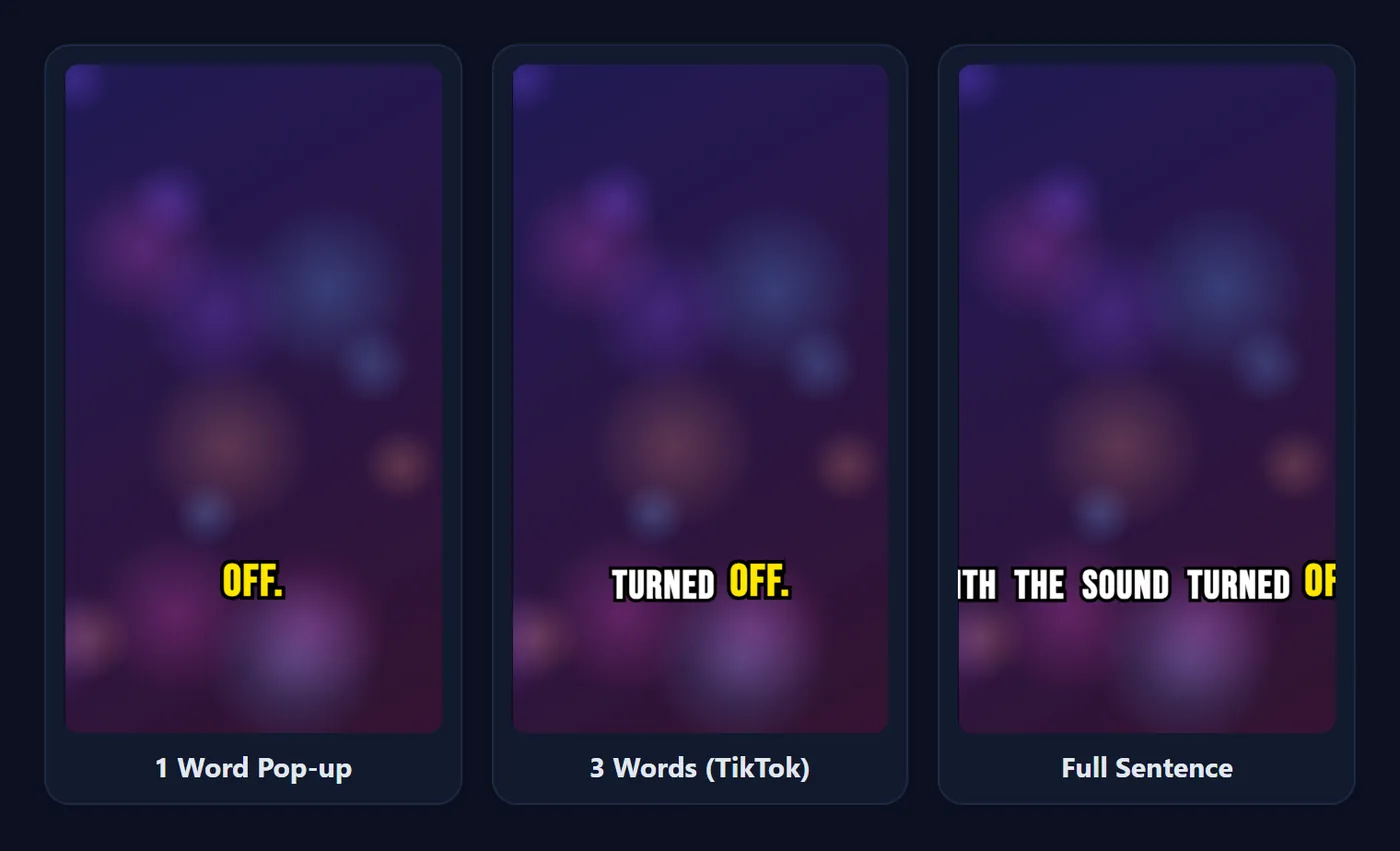
Display Chunk Size controls how many words are on screen at once: 1 word, 2 words, 3 words (TikTok), 4 words (Reels) or a full sentence (up to six words).
- 1 to 2 words: strong motion works because there is nothing else to read. Scale Pop and Bounce are at their best here.
- 3 to 4 words: the classic short-form look. Scale Pop, Glow Pulse or Highlight Box all work.
- Full sentence: choose calmer effects (Highlight Box, Underline or Color Change Only) so the line stays easy to read.
Where the word timing comes from
With Auto Captions, the speech model gives every English word its own start and end time, so the highlight lands on the word as it is spoken. With Import SRT or Paste Script, only each line has a time; CapMagic spreads the words across the line in proportion to their length. That is close enough for most videos, but it can drift on lines with long pauses. Splitting such a line in two in the Transcript tab fixes it.
Quick recipes by type of video
- Hook-heavy TikTok: TikTok Viral preset, Scale Pop, 2 to 3 words, yellow highlight on white text with a black outline.
- Tutorial or product demo: Poppins or Inter, Highlight Box, 4 words, highlight in your brand colour. The box keeps the active word readable over screen recordings.
- Interview or podcast clip: Minimal Dark preset (Highlight Box, full sentences) so viewers can follow long answers without the captions jumping around.
- Music or night-time footage: Neon Cyber or Reels Karaoke, Glow Pulse, with a dark pill behind the words so the glow stands out.
- Calm, professional video: Underline or Color Change Only, sentence case, 4 words or a full sentence.
Keep it readable
- Pick a highlight colour that contrasts with the text colour (white text with a yellow, green or red highlight works on most footage).
- Use one animation per video. Switching effects between clips looks messy.
- Give the text an outline or pill background so the highlight never disappears into the footage.
- Check the export, not just the preview. Play the downloaded file on your phone before you post.
Frequently asked questions
Which caption animation is best for TikTok?
Scale Pop with 3 words at a time and a yellow highlight is the most common TikTok look. It is what the TikTok Viral preset uses.
Can I turn the animation off?
Choose Color Change Only and set the highlight colour to the same colour as the text. The captions then behave like classic subtitles.
Do the animations appear in the downloaded video?
Yes. The effects are drawn into the exported MP4 frame by frame. The one difference today is Bounce, which is exported as an enlarged word rather than an up-and-down motion.
Why does the highlight run slightly ahead of the voice?
If the captions came from an SRT or Paste Script, word timings are estimated from each line. Adjust the line's start and end times, or use Auto Captions for word-level timing.
Related tool
Caption Styles & Templates
Five ready-made caption looks for TikTok, Reels and Shorts, with the settings behind each one.
Ready to caption your video?
Free, in your browser, and your video never leaves your device.
Open CapMagic Studio →